Tradução Literal da Bíblia (TLB)
Tradução Literal da Bíblia (TLB)® is translated and published by Bernd Bremicker at traducaoliteral.com.br. Bible Index can install it from the online module catalog.
Before you start
Download and install Bible Index on your computer.
Steps
The screenshots show the Portuguese interface.
-
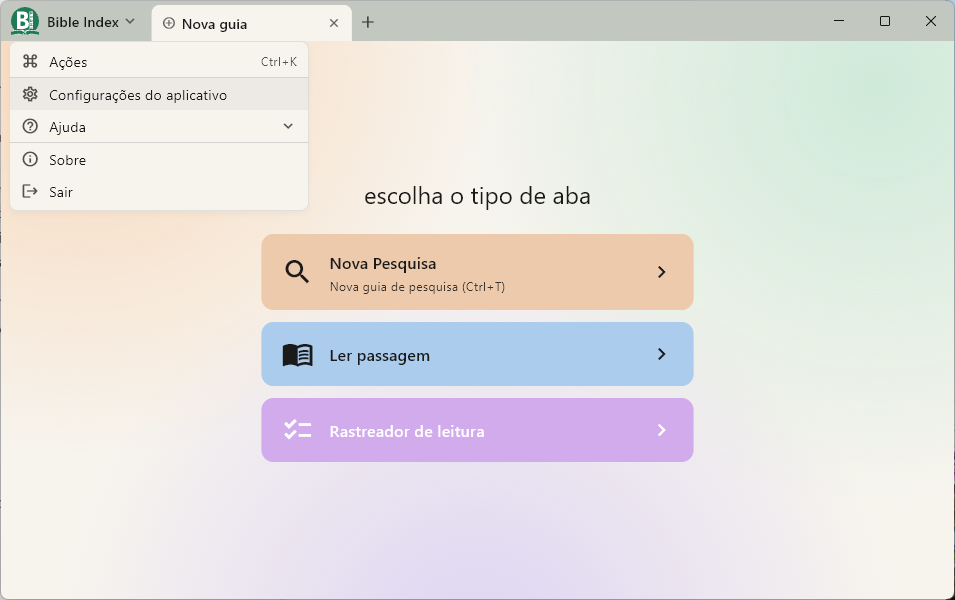
Open Manage modules.
- Press Ctrl+K (on Mac, Command+K), type
Module, and choose Manage modules. - Or open the Bible Index menu → Application settings → Manage modules.
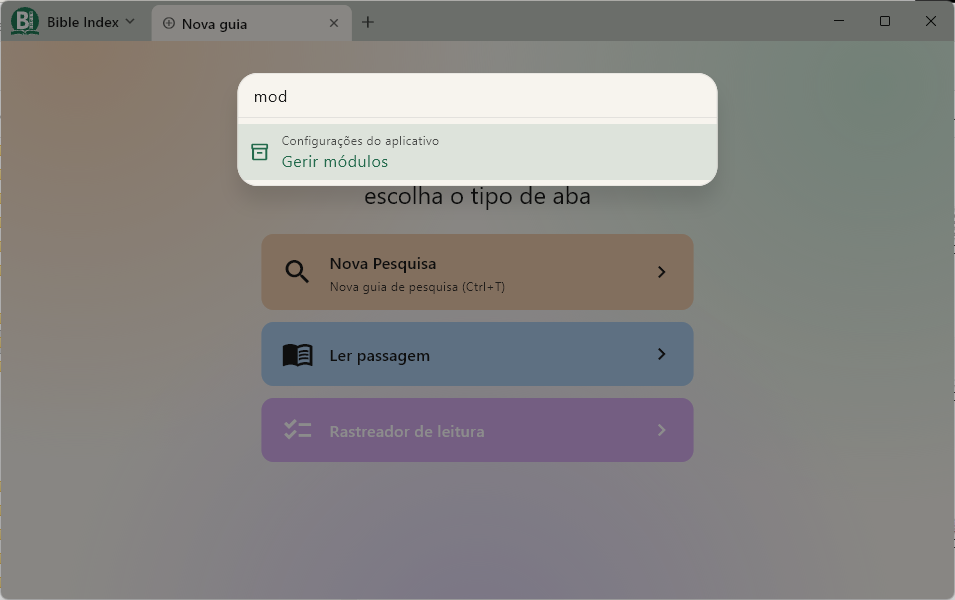
- Press Ctrl+K (on Mac, Command+K), type
-
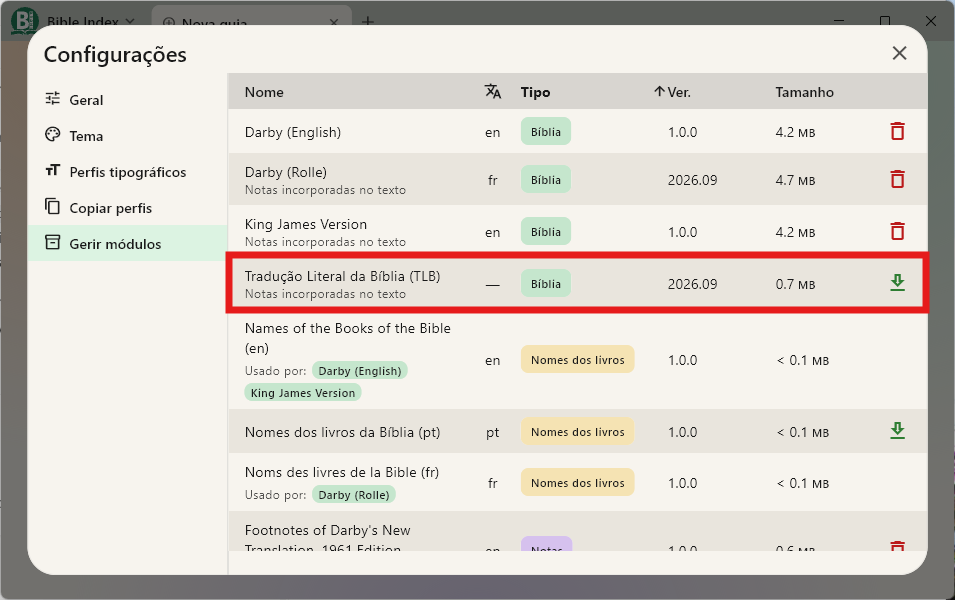
Select Tradução Literal da Bíblia (TLB) and click the download button (tooltip Install).
-
The module is installed and ready to use.
-
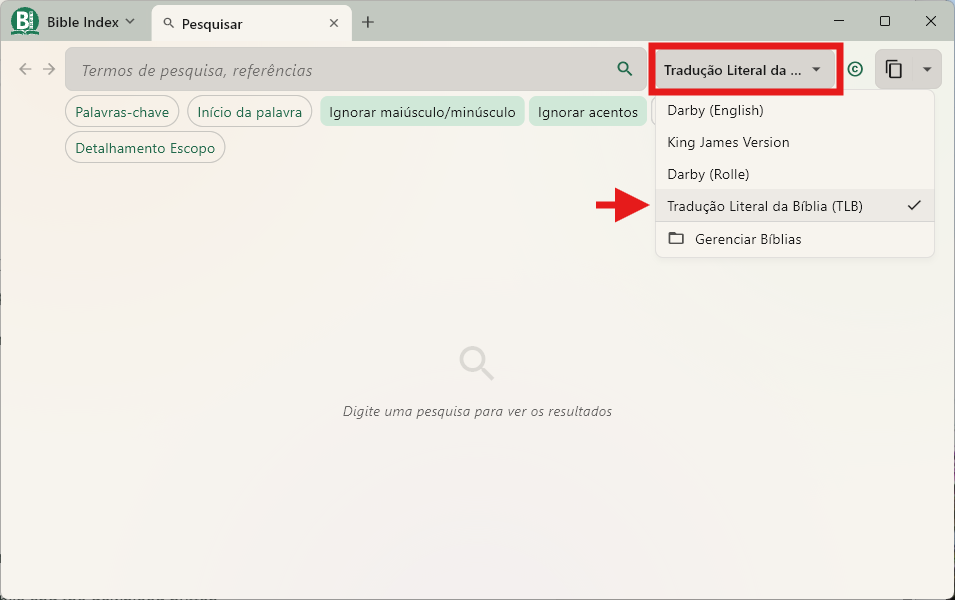
On the Search screen, open the Bible list and select Tradução Literal da Bíblia (TLB).
Example
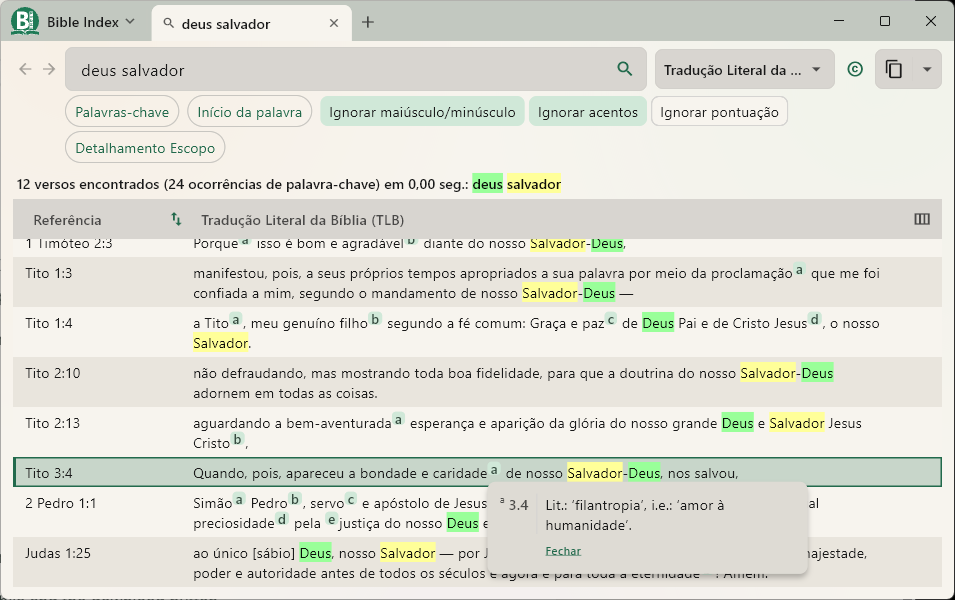
A search for deus salvador in Tradução Literal da Bíblia (TLB).
More options
To update or remove this module, use the same Manage modules screen. See Manage Modules in the user guide.